This guide will walk you through the process of changing your email password.
1. Go to the webmail page at
https://webmail.isgdev.com and login using your full email address and current password.
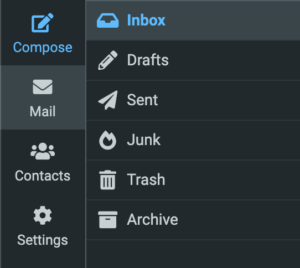
2. In the left hand column, select the Settings option.
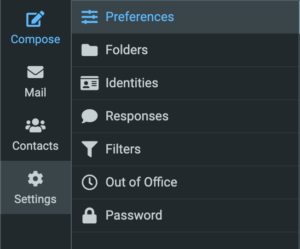
3. From the Settings menu, select
Password.
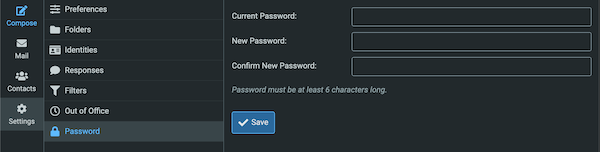
4. In the form that is shown, enter your current password in the
Current Password field, and your new password into both the
New Password and
Confirm New Password fields and click
Save to update your password.
After changing your password, be sure to update it on all devices and email apps you use to access this account.